Provider portal
Make 4net part of your service: publish your design, connect support and keep customers informed.
Get started
- Open the provider portal and submit your service name, contact and subscription domains.
- Wait for administrator approval, activate your account using the invitation, then sign in.
- Check domain approval in My domains before publishing a private theme or enabling integrations.
Your brand in 4net
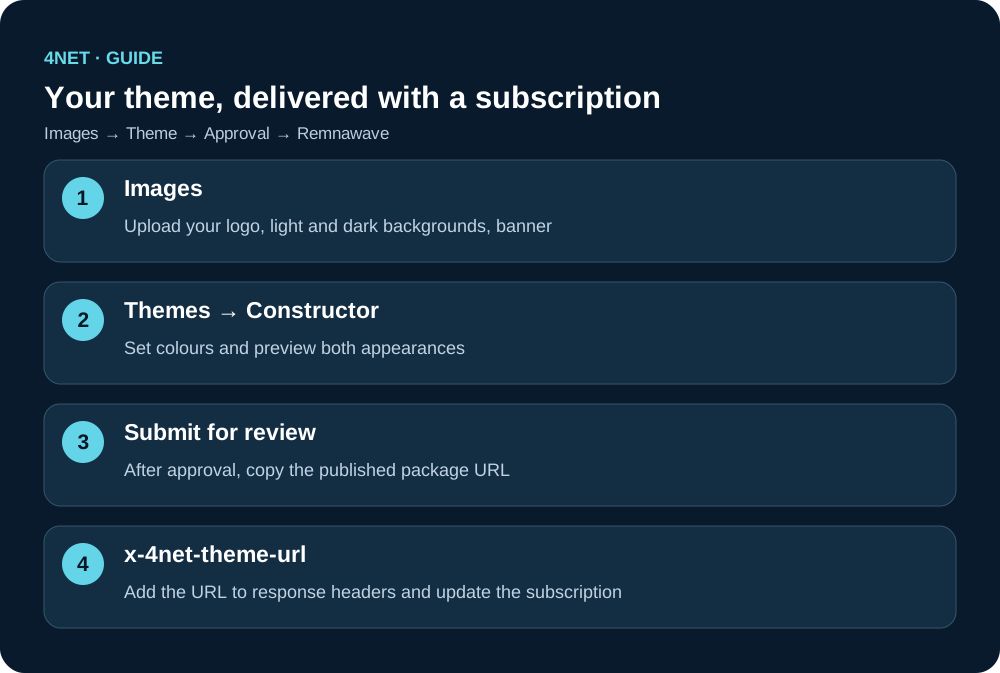
Upload assets in Images, edit the design in My themes, then submit it for review. Track the draft and review status in the theme card. A published private package is scoped to its approved provider domains; shared themes are available from the public catalogue.
x-4net-theme-url: https://vps-tech.ru/theme-api/packages/YOUR_APPROVED_THEME_IDCopy the real package URL from your approved theme. It includes the supported light/dark palettes and image references. x-4net-theme selects system, light or dark. Legacy colour and logo headers remain supported.
Team and conversations
Invite each operator through Team and grant support access in Support. Each operator uses their own account. Dialogs shows requests, messages, assignment and the SHM lookup when a conversation is selected.
News and statistics
Enable your public channel in News, copy its x-4net-news-provider value into subscription response headers, create a news item and submit it for review. Publication and delivery depend on channel approval and audience notification settings. Installation statistics are separate: use your x-4net-provider-id from the portal and obtain user consent in the app. Statistics count installations, not paid accounts, and do not equal the push audience.